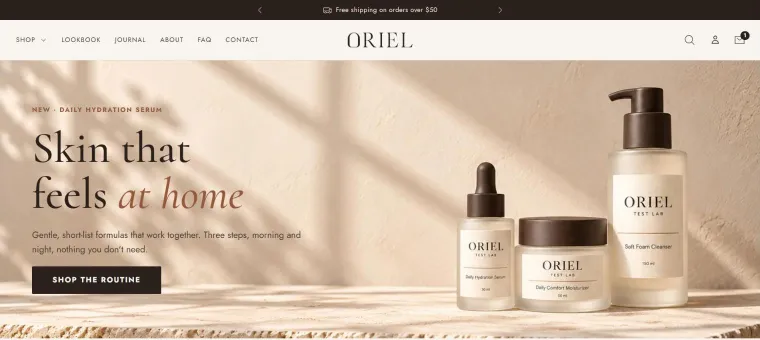
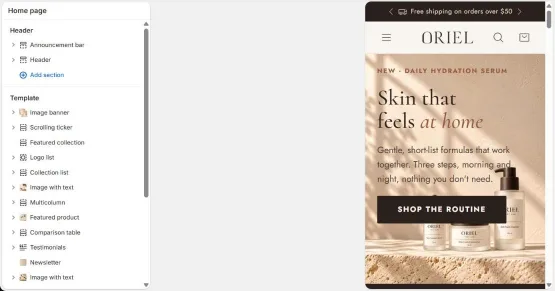
Oriel is a Shopify theme for one-product and small-catalog stores. Quantity breaks, bundles, a rewards bar and free gifts are built into the product page and the cart, so every visit has more ways to become a bigger order.
Quantity breaks, bundles, upsells, a rewards bar and free gifts, without a separate app for each.
Set up, not coded
Everything is a section, block or setting in the Shopify theme editor.
Online Store 2.0
Sections and blocks on every page, including product pages and the cart.
Pay once
$99 for one store, 12 months of updates included. Renewing is optional.
Product page
A product page that upsells for you
Stack the blocks you need in the theme editor. Each one is built for focused catalogs, where a second bottle or a matching product is the easiest sale you'll make.
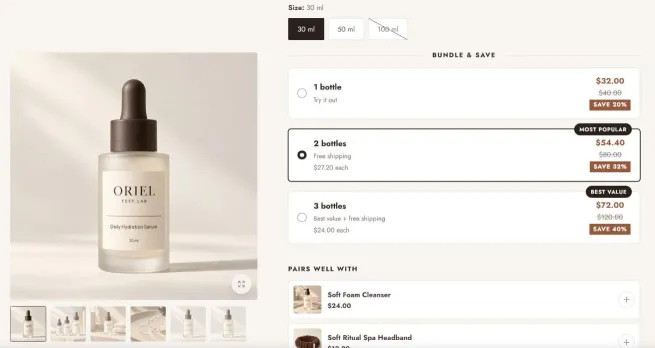
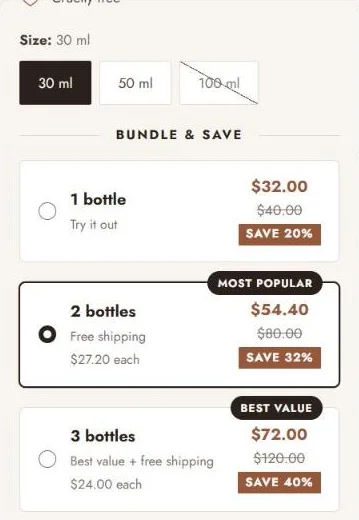
Quantity breaksUp to four tiers with badges, price per item, savings and an optional free gift per tier.
Bundle offerSell this product with others and add the whole set in one click.
Product upsellsShopify recommendations or your own picks, added with one tap.
Sticky add to cartA buy bar that stays in reach on desktop and mobile.
Clickable discountA code shoppers tap to apply it to their cart.
Delivery estimateAn expected delivery date with ordered, shipped and delivered steps.
Stock and countdownsLow-stock messages from your inventory and a countdown timer block.
Swatches and zoomButtons, color swatches or dropdowns. Hover zoom and a pinch-zoom lightbox.
Tabs, rows and popupsIngredients, how to use or a size chart, filled per product from custom fields.
Custom product fieldsCollect text or a choice with the order, like an engraving or gift note.
SubscriptionsShows the selling plans of your Shopify subscription app.
Five product templatesDefault, conversion, apparel and accessories, kit and simple.
Cart drawer
A cart that gives shoppers a reason to add one more
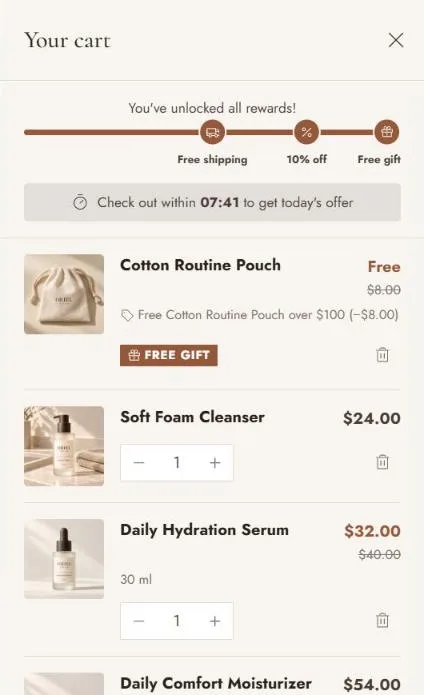
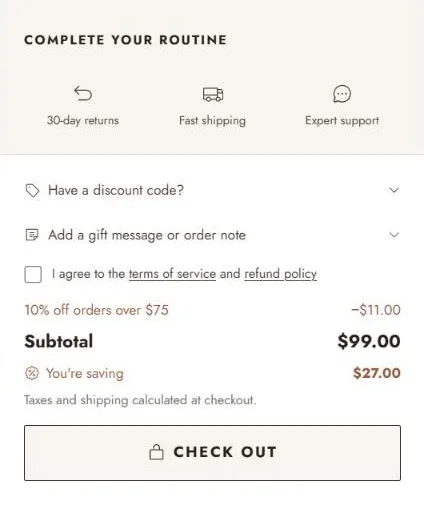
The cart is where order value is won. Oriel's drawer shows how close the next reward is, adds the gift by itself and keeps the savings in view right up to checkout.
Rewards barUp to three steps, like free shipping, then 10% off, then a free gift. Converted for shoppers paying in other currencies.
Free giftAdded to the cart when the total qualifies and removed when it drops below.
Upsells and add-onsProduct suggestions, plus optional extras such as shipping protection or gift wrap.
Savings and codesSavings per item and in total, a discount code field with applied codes shown.
The details that matterOrder note, terms checkbox, cart timer, trust badges and payment icons, in the order you choose.
Drawer or pageThe same blocks work on the full cart page. Empty carts suggest products.
How offers work
The theme shows the offer. Shopify sets the price.
Oriel doesn't invent prices. Each offer you show needs a matching discount in Shopify's own Discounts page: no extra app, and the docs give you the exact settings for every one, plus a checklist for when a price doesn't match.
Add the block in the theme editorFor example a rewards bar step: free shipping at $50.
Create the matching Shopify discountAn automatic free shipping discount with a $50 minimum.
Test it at checkoutAdd to cart, open checkout and check the bar, the cart and the total agree.
Sections
Pages that show the product, not just list it
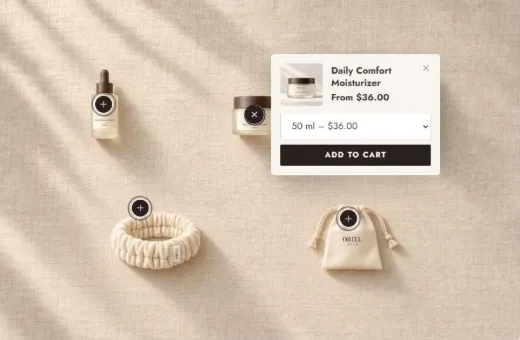
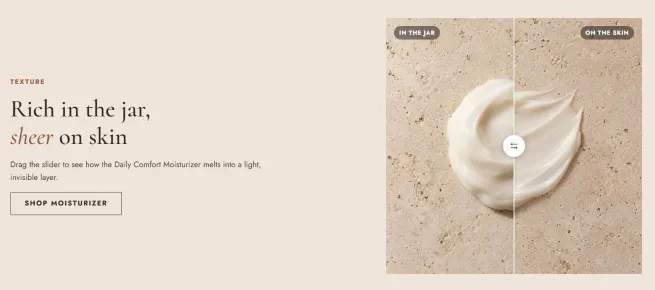
Let shoppers tap products in a styled photo, drag a before and after slider or compare you against the usual alternative. Every section has its own colors, spacing, background and entrance animation.
Shoppable image: hotspots open a product card with variants and add to cart.
Before and after slider: drag, swipe or use the keyboard.
Image banner
Slideshow with video slides
Video
Shoppable image
Before and after
Featured product
Featured collection
Collection list
Comparison table
Image with text
Multicolumn
Testimonials
Logo list
FAQ
Rich text
Newsletter
Contact form
Collections and search
Easy to browse, quick to buy
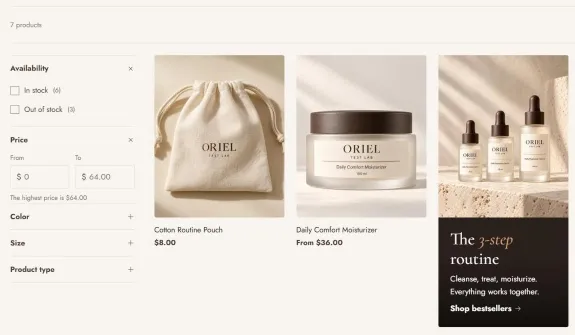
Filters and sortingLists, color swatches and a price range, in a sidebar or a drawer. Pages update without reloading.
Product cards with quick addHover image, swatches that swap the photo, sale and custom badges, and add to cart from the grid.
Predictive searchResults as you type, with the same filters on the search page.
Mega menu and mobile drawerColumns, images and promo tiles on desktop. Nested levels on mobile.
Promo tiles in the gridDrop a campaign tile between products at the position you choose.
A blog that sellsTable of contents, reading time, related posts and a Shop the post product list.
And the rest
Everything else a real store needs
Header that works
Sticky or hide-on-scroll, transparent over the hero, a rotating announcement bar with a countdown, and country, currency and language selectors.
Promo popup
Email sign-up with a discount code. Opens after a delay, on scroll or on exit intent, and doesn't nag returning visitors.
Your brand, your way
Color schemes, heading and body fonts, button styles with four hover effects, 550+ icons and italic accent words in headings.
Every section, tuned
Color scheme, padding for desktop and mobile, background image or video, hide per device and an entrance animation on each section.
Search-friendly
Breadcrumbs, FAQ and blog post structured data, responsive lazy-loaded images and no render-blocking scripts.
Built for everyone
Keyboard support, focus handling in drawers and popups, visible focus and reduced motion respected throughout.
Every page covered
About, FAQ and contact templates, a gift card with QR code and Apple Wallet, a 404 page and a coming-soon password page.
Small touches
Per-page colors, scroll-to-top, a scroll progress bar and optional protection against copying images and text.
Theme editor
Set it up in the theme editor. No code.
Upload the zip, open the Shopify theme editor and click what you want to change. Switch between desktop and mobile previews, with step-by-step docs for every offer.
Guides written for store ownersInstall, the editor in five minutes, making it look like the demo, and a launch checklist.
Real email supportQuestions about the theme answered within two business days.
No. You upload the theme as a zip file and set everything up in the Shopify theme editor: sections, blocks, colors, fonts and offers. The docs walk you through each step.
Do I need any apps?
Not for the theme's features. Quantity breaks, bundles, upsells, the rewards bar and the free gift are all part of Oriel. A few things depend on Shopify itself or an app you choose:
Discounted prices come from discounts you create in Shopify's Discounts page (free, built in).
Choosing which filters appear uses Shopify's free Search & Discovery app. Price and availability filters work without it.
The subscriptions block shows plans from a Shopify subscription app, if you use one.
Does it work with Shopify discounts and my apps?
Yes. Oriel uses Shopify's native automatic discounts and discount codes, and the docs explain how to combine them. It's an Online Store 2.0 theme, so apps that provide app blocks or app embeds can be added in the theme editor.
What happens when my 12 months of updates end?
Nothing changes in your store. Your theme never stops working and shows no messages. You just stop getting new versions and support until you renew, which is optional.
How do renewals work?
Two ways, both optional:
Turn on auto-renew when you buy Standard. You're charged $59/year from your second year, and can cancel anytime.
Or start a renewal later ($59/year, billed yearly until you cancel). Use the email you bought with.
Already on auto-renew? You don't need the renewal, your updates renew automatically.
How do I cancel auto-renew or a renewal?
Go to the customer portal, enter the email you bought with and follow the login link. You keep updates until the end of the year you've paid for, and the theme keeps working after that. You can also update your card and download invoices there.
How do I get updates?
The download link in your purchase email always gives you the newest version your license covers. Shopify doesn't update uploaded themes automatically: you upload the new zip next to your current theme and copy your settings across. The install guide explains how.
Can I use Oriel on more than one store?
One license covers one live store. Development and staging stores are free, and so are unpublished copies and previews. Moving to a new store? Email support and we'll move your key. Each additional live store needs its own license.
What does support cover?
How the theme works, theme settings and bugs. It doesn't cover custom code changes, third-party apps or general store setup. Email support@orieltheme.com and we'll reply within two business days.
Payments are processed by Stripe, so the charge shows as LINK.COM* ORIEL. Tax may be added at checkout depending on your location.
What about customer accounts?
Oriel uses Shopify's new customer accounts. Login, order and profile pages are hosted by Shopify, so you style them the same way as checkout, in Settings, Checkout, Customize. The older classic accounts aren't supported.
Which Shopify plan do I need?
Any Shopify plan that lets you add your own theme, which is Basic and up. The Starter plan only supports Shopify's own Spotlight theme.
Is Oriel in the Shopify Theme Store?
No. Oriel is sold directly on this site by Socratisp, who builds and supports it.
See it in a real store
Click through the demo store, open the cart, try the quantity breaks. Then pick a plan.